
Most hotel email tools begin with a list and end with an open rate. The useful part of the story sits outside them: who the guest is, which company they book for, what they asked about last year, whether they already have an open deal, and what happened after they clicked. That context lives in the CRM — so that is where we built campaigns.
Email Campaigns is now live in Avero. It is a complete campaign workspace for hospitality teams: audience, design, delivery, automation, consent, reporting and revenue attribution, all on the same contact records your sales team already works from.
A guided setup before the first send
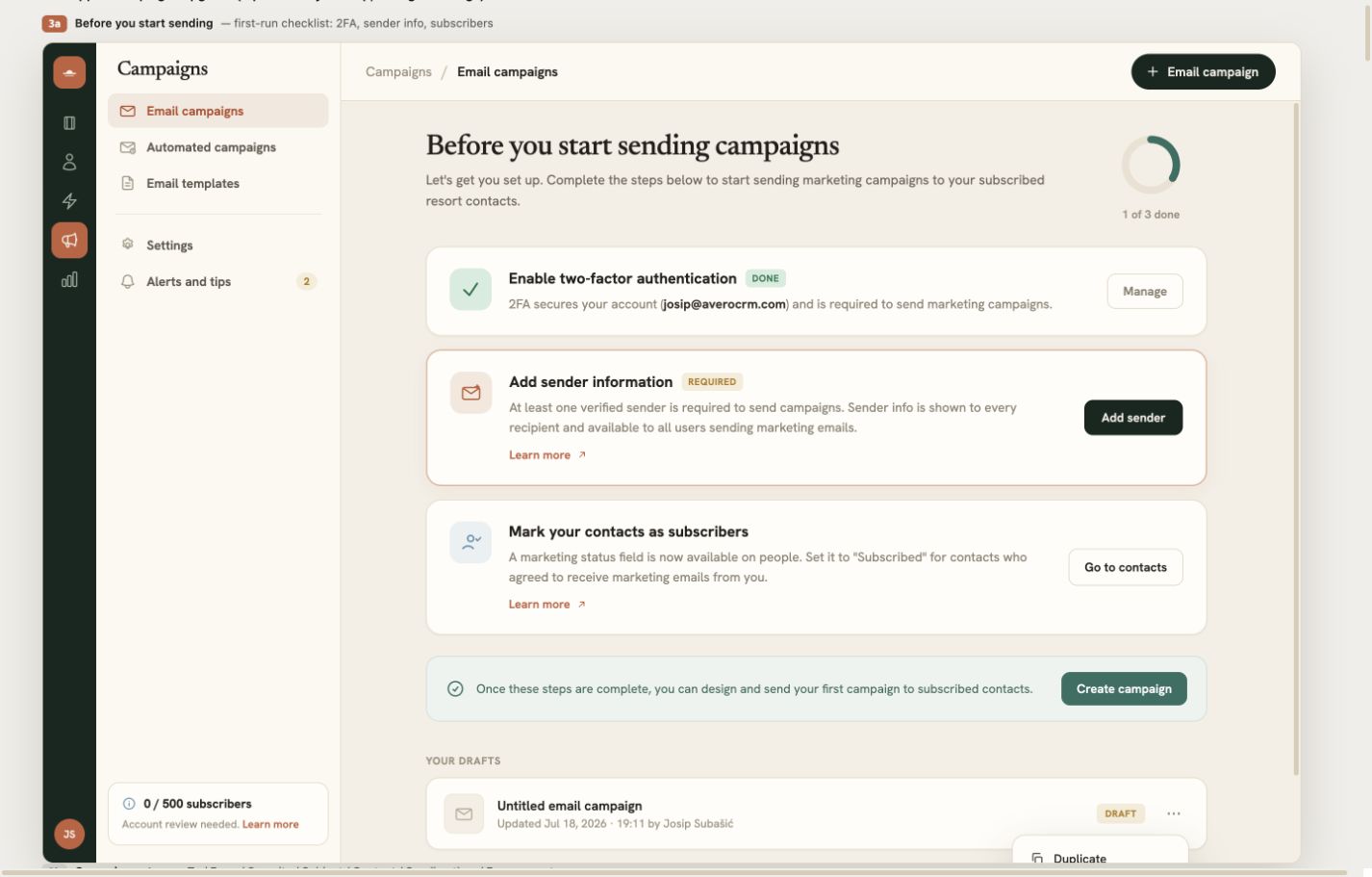
Campaigns opens with a short readiness checklist rather than dropping a new user into an empty composer. Avero confirms that two-factor authentication is enabled, at least one sender has been verified and the contacts you plan to reach have an explicit marketing status. Each item links directly to the place where it can be completed, and the progress indicator makes it clear what still blocks sending.
This matters for a hotel team because campaign access is rarely owned by one specialist. Sales, marketing and property leadership may all contribute. The checklist gives everyone the same operating standard before a message can represent the property in a guest's inbox.
Start with the relationship, not a CSV
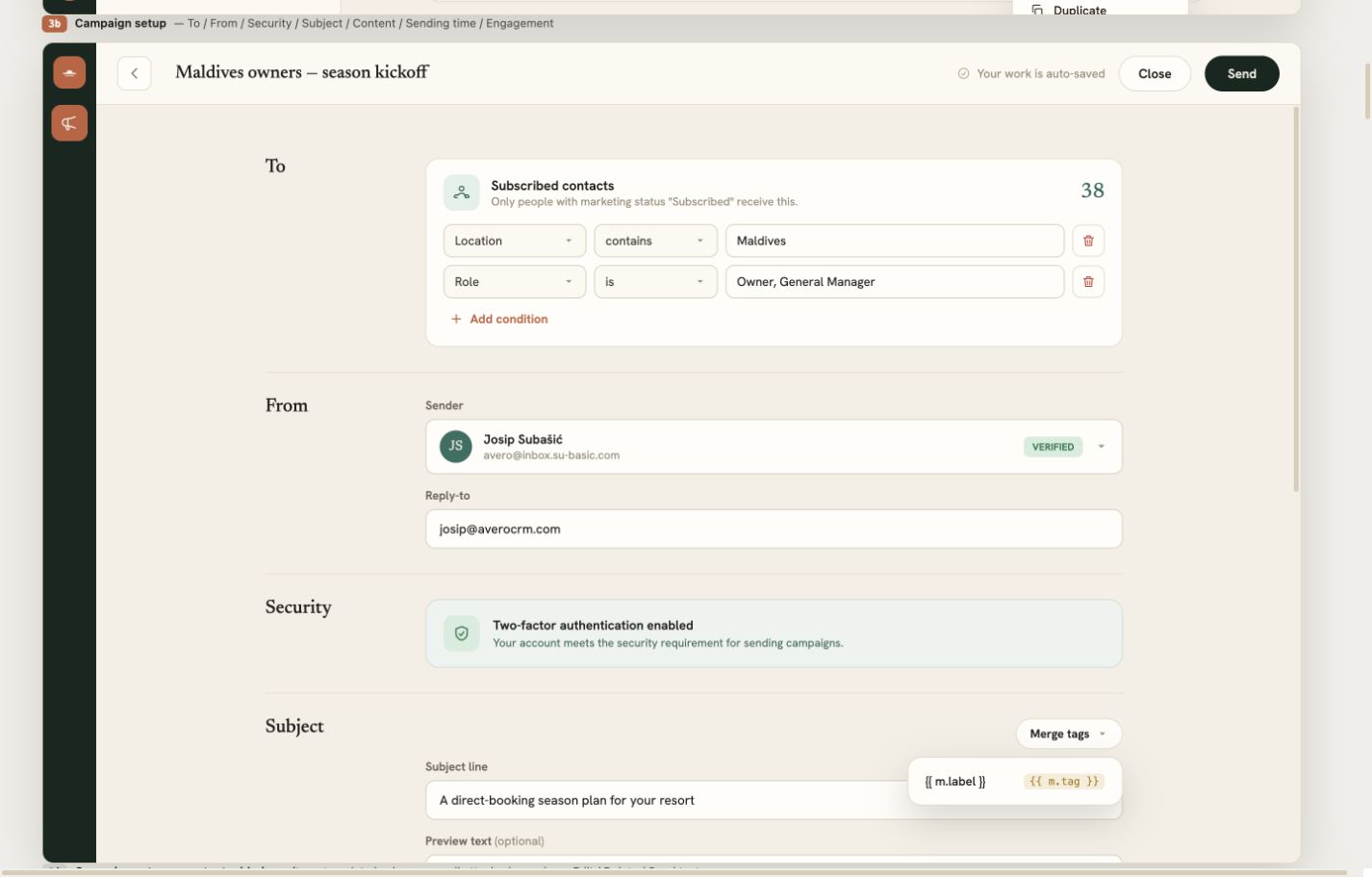
A campaign audience is built from people already in Avero. Every send begins with one locked rule: the contact must have an email address and a Subscribed marketing status. People with no consent, people who unsubscribed and addresses that bounced stay out automatically.
From there, narrow the audience by location, deal stage or recent activity. A live recipient estimate changes as you add conditions, so you know whether you are writing to twelve wedding planners or twelve thousand past guests before you press send. For follow-up campaigns, Avero can also create a fresh audience from the people who received an earlier campaign but did not open it — re-evaluated at send time so late openers drop out.
“The list, the campaign and the booking now live on the same record. Nothing has to be exported, reconciled or guessed.”
Choose the fastest way to a good email
You can begin three ways. Pick a hospitality layout from the built-in gallery, start from a template your team has saved, or open a blank canvas. Teams with their own production HTML can switch to the full HTML editor and paste a complete email document instead.
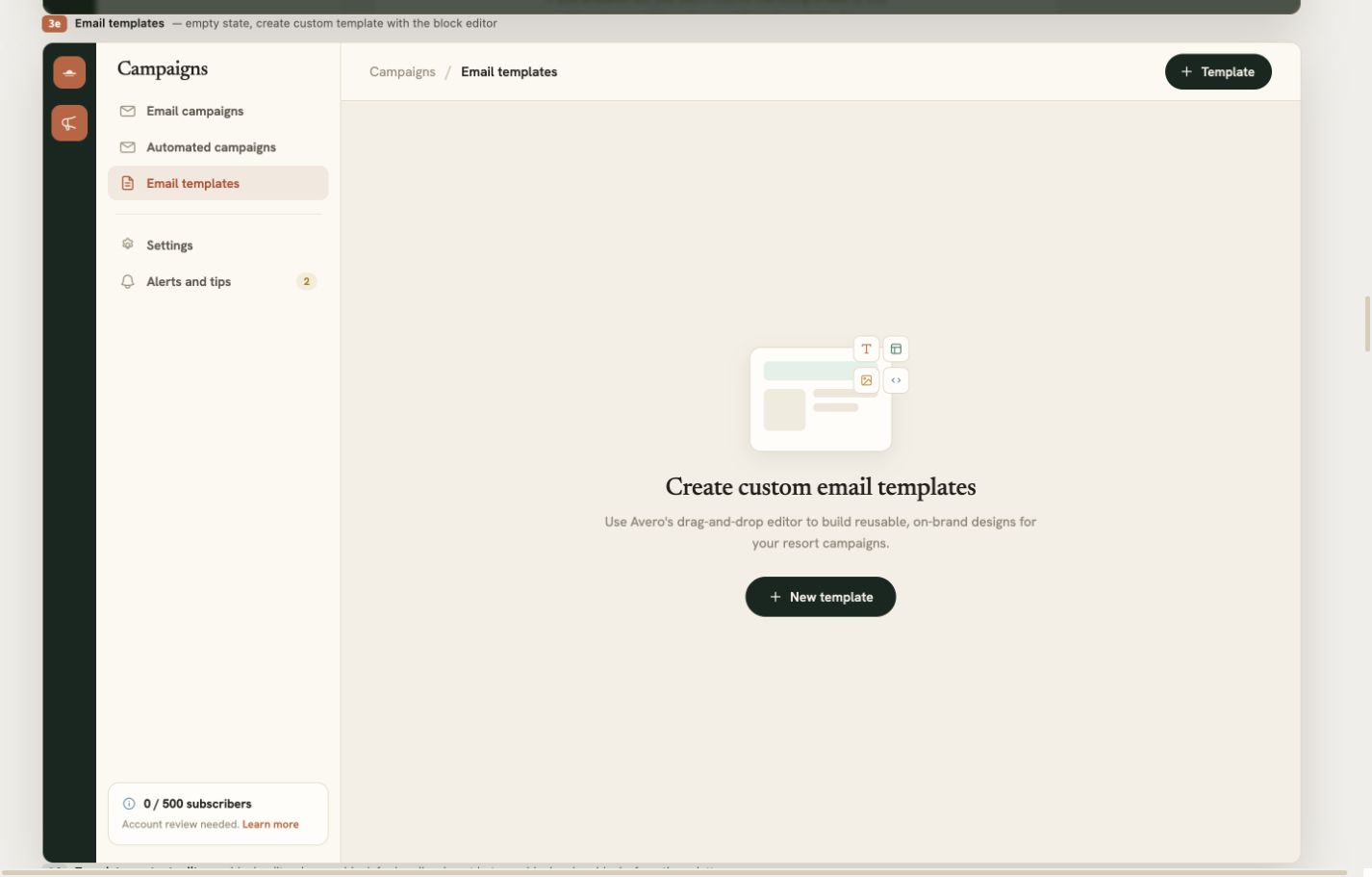
The layout gallery covers the campaigns hotels send repeatedly: seasonal offers, newsletters, booking confirmations, abandoned inquiries, property features, event invitations and more. Preview a layout before selecting it, then make it yours. Any finished design can be saved as a reusable workspace template, edited later, duplicated and used by the whole team.
Templates are a workspace asset, not a private draft. A property can keep an approved newsletter shell, a seasonal offer and a group-sales follow-up ready for anyone who needs them. That preserves the brand while removing the usual copy-paste chain between marketing and sales.
A real email editor, without the design-tool tax
The visual editor is built from rows, columns and content blocks. Add headings, rich text, images, buttons, dividers and spacing; drag blocks into place; duplicate sections; or split a row into as many as four columns. On mobile, columns can stack automatically, and individual rows can be hidden on desktop or mobile when the layout needs a different treatment.
The deeper controls are there when you need them: content width, background colours and images, per-side padding, borders, corner radius, row and column styling, button alignment, linked images and image effects. When you do not need them, they stay out of the way. The email remains a clear canvas rather than a cockpit.
Personalization is built in. Insert first name, full name or organization merge tags into the message, then set the subject and preheader that recipients will see in their inbox. Preview the complete email before it leaves Avero and send a test to yourself without touching the audience.
Send from a name guests recognize
Campaigns send through verified identities, not an anonymous shared address. Add multiple senders for different properties or teams, choose a default and set a separate reply-to address when replies should land elsewhere. Avero blocks consumer mailbox domains for marketing senders and shows the domain-authentication status needed for SPF, DKIM and DMARC.
Every campaign also includes the company details required in its footer and a working unsubscribe link. When someone opts out, their marketing status changes in the CRM and future audiences exclude them automatically. Consent is part of the contact model, not a suppression file someone has to remember to import.
Domain authentication is visible alongside the sender rather than hidden in an administrator's checklist. If authentication is still in progress, Avero warns the author before a campaign is marked ready. Teams can therefore resolve deliverability issues while the email is being prepared, not after a report fills with bounces.
Send now, schedule it, or let an automation decide
Drafts auto-save while you work. When the subject, content, sender and audience are ready, send immediately or schedule the campaign for a specific date and time. Scheduled sends run in the background; nobody needs to keep Avero open for a campaign to leave on time.
Automated campaigns remove the list and calendar entirely. Build the email once, mark it ready and use it as a Send campaign action inside an Avero automation. The person moving through the workflow becomes the recipient — useful for post-stay notes, proposal follow-ups, welcome sequences and any message triggered by a real CRM event rather than a broadcast date.
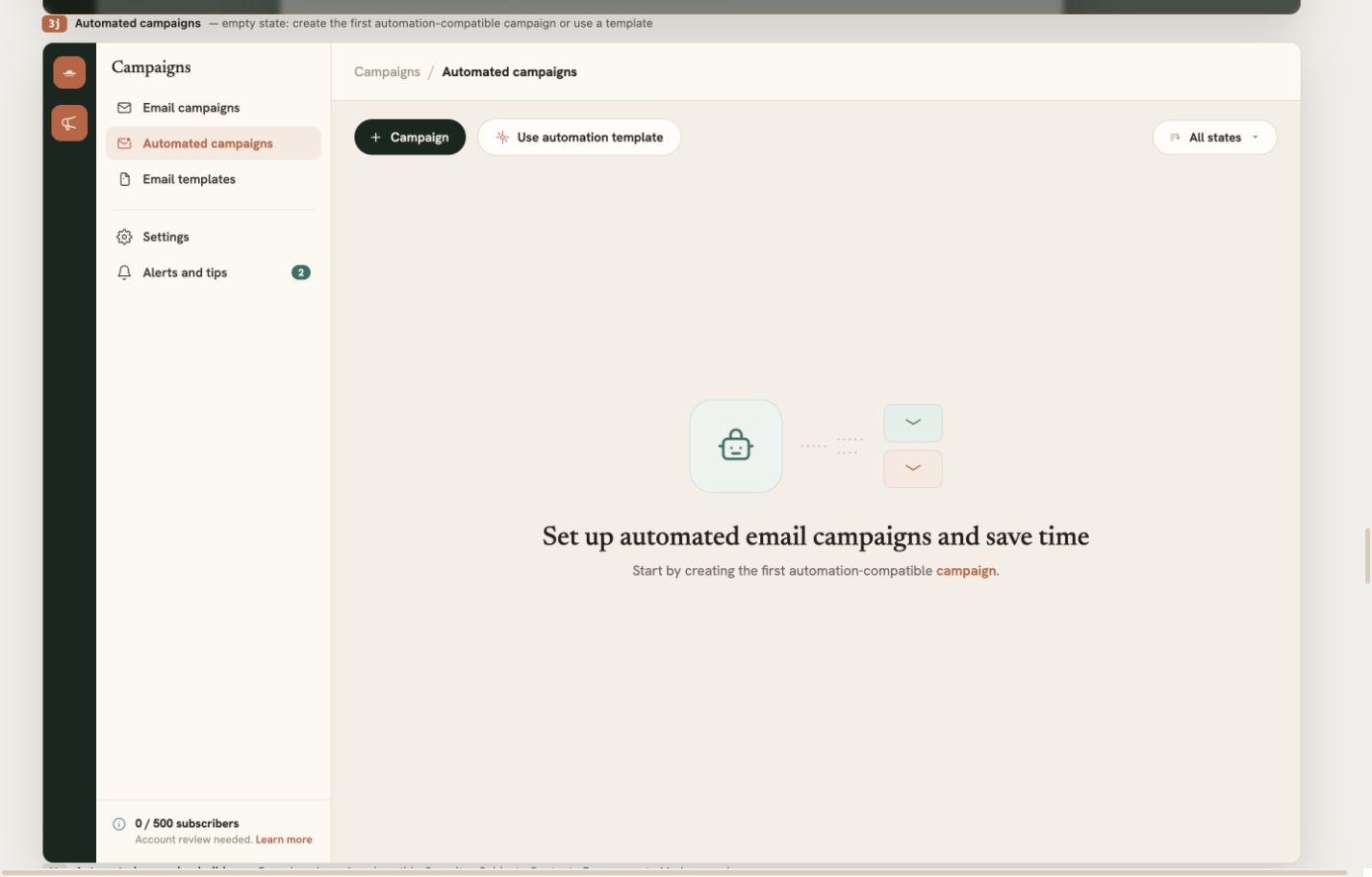
The automated-campaign builder keeps the same safeguards as a broadcast: verified sender, domain status, two-factor authentication, subject, content, merge tags and engagement tracking. The difference is the recipient. Instead of selecting a static audience, the workflow supplies the person at the moment the action runs.
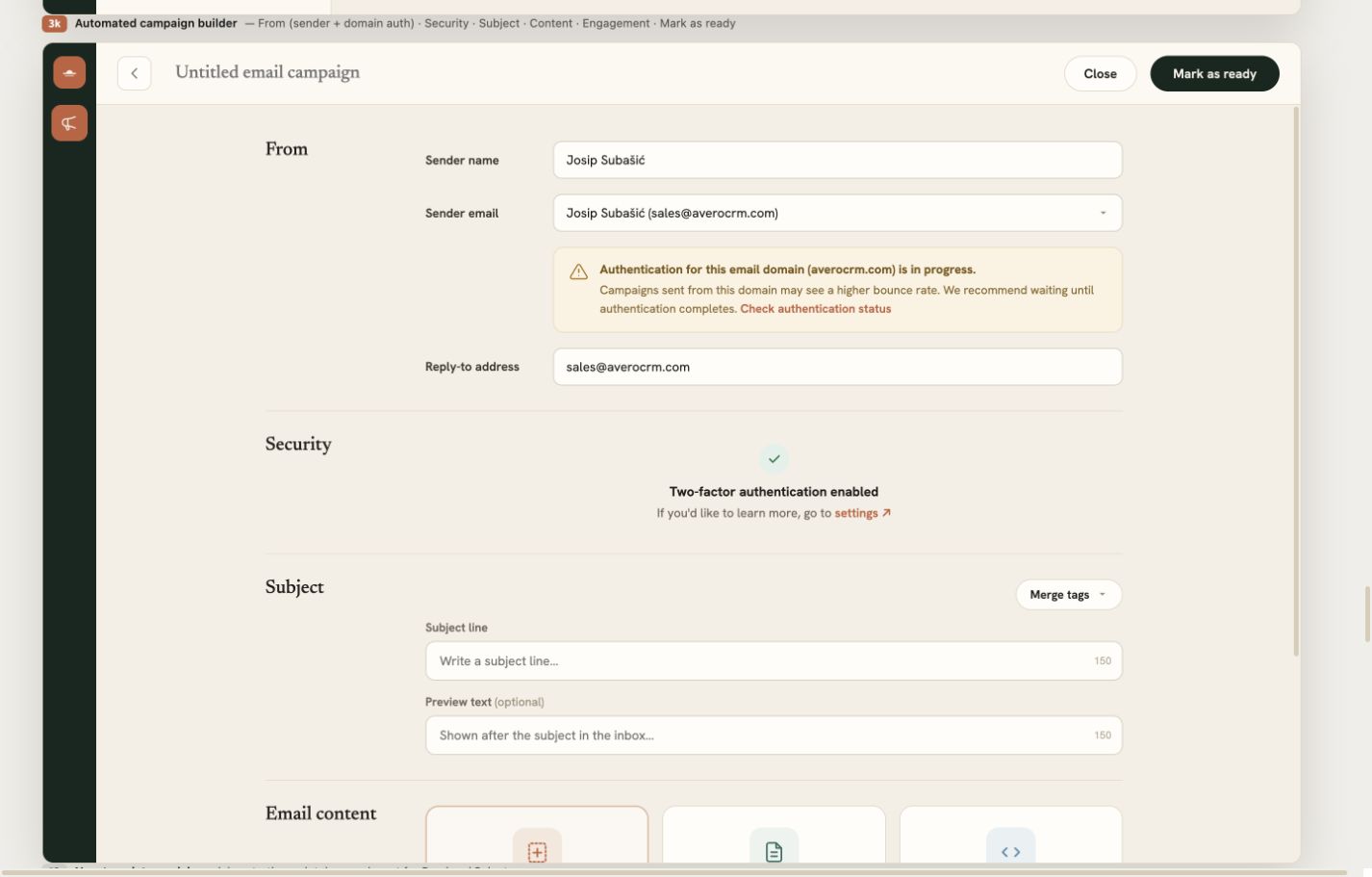
Engagement can feed the sales workflow too. Turn on in-app notifications and the deal owner can be alerted when a recipient opens or clicks, while interest is still warm.
Reporting that continues past the click
The report opens as soon as a campaign sends. At the top are the numbers you expect: recipients, delivered, opened, clicked, bounced and unsubscribed. A timeline shows how opens and clicks developed after delivery; top locations reveal where the audience engaged; and link performance separates total from unique clicks for every URL.
The recipient view goes one level deeper. See the delivery state, first-open time, total opens and click count for each person, then open that person's CRM record directly. Their campaign activity also appears in their marketing history alongside the rest of the relationship.
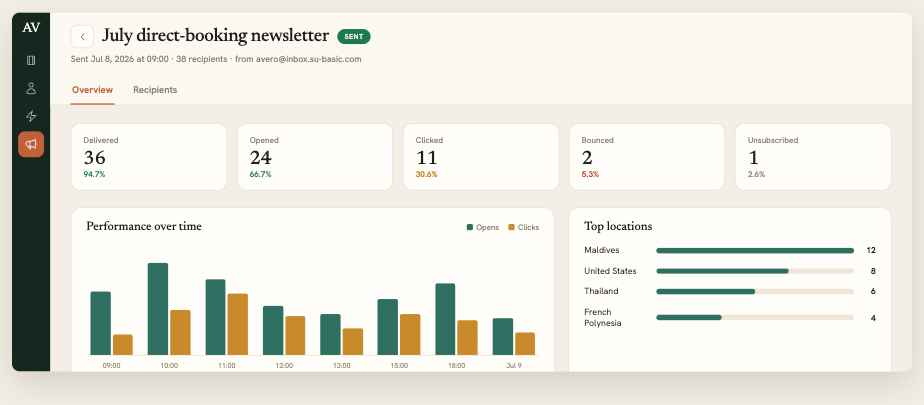
Then Avero keeps going. The campaign report connects recipients to deals created or updated after the send, showing influenced pipeline and won revenue. Campaign engagement can also be added to Insights, so a marketing manager can compare sends while a sales director sees what entered the book.
Everything you need for the next send
Sent campaigns are not dead reports. Duplicate one into a fresh draft, or use Re-send to non-openers to preserve the design and create a dynamic second audience. Change the subject, adjust the angle, send again — without rebuilding the email or exporting a segment.
That is the larger idea behind Email Campaigns in Avero. A hotel should not need one system to remember a guest, another to email them, a spreadsheet to police consent and a meeting to decide whether the send produced business. The campaign should begin with the relationship and end with the booking, with the whole thread intact.



Turn your guest list into direct bookings.
Build your first campaign in Avero, send it to the right subscribed guests and keep every response connected to the relationship behind it.
Book a demo